- Why do we need another ID?
- Where is my Entra ID used?
- Why can't I use my email address as my Entra ID username?
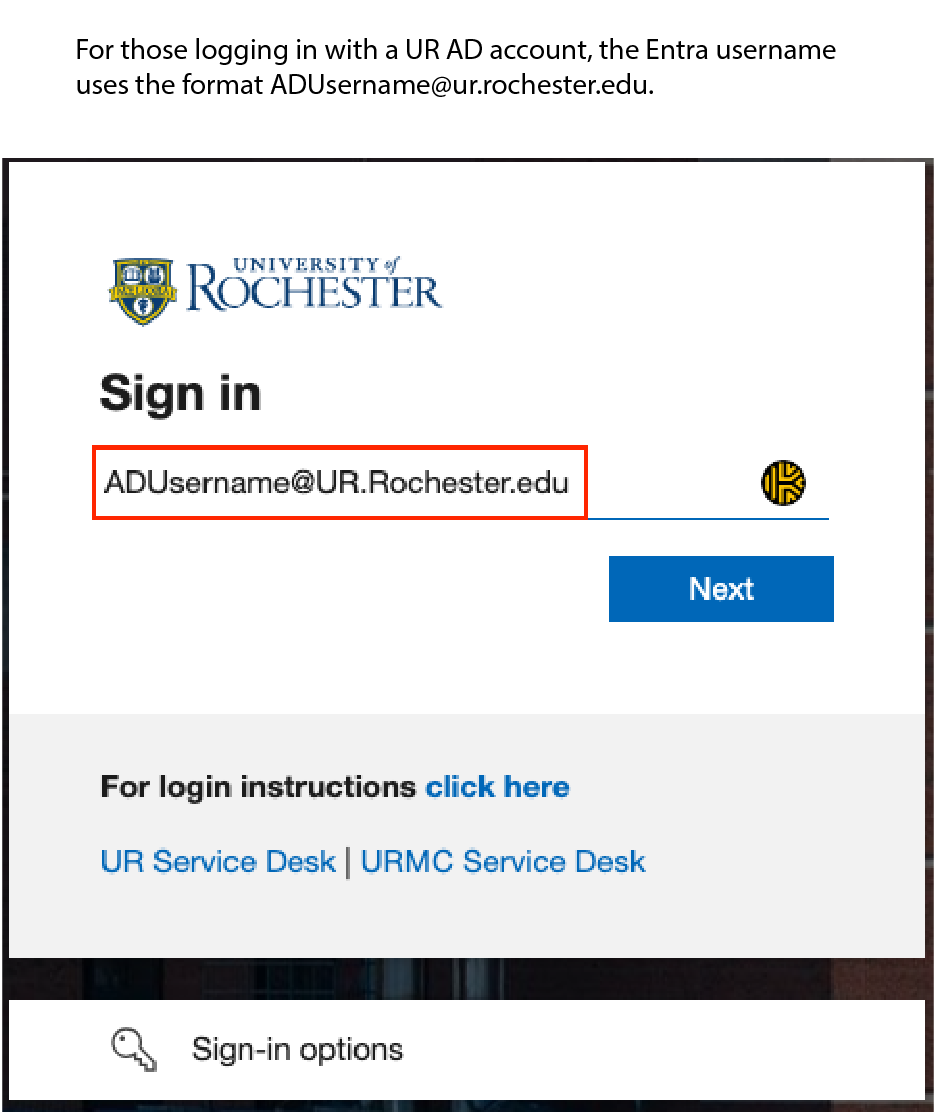
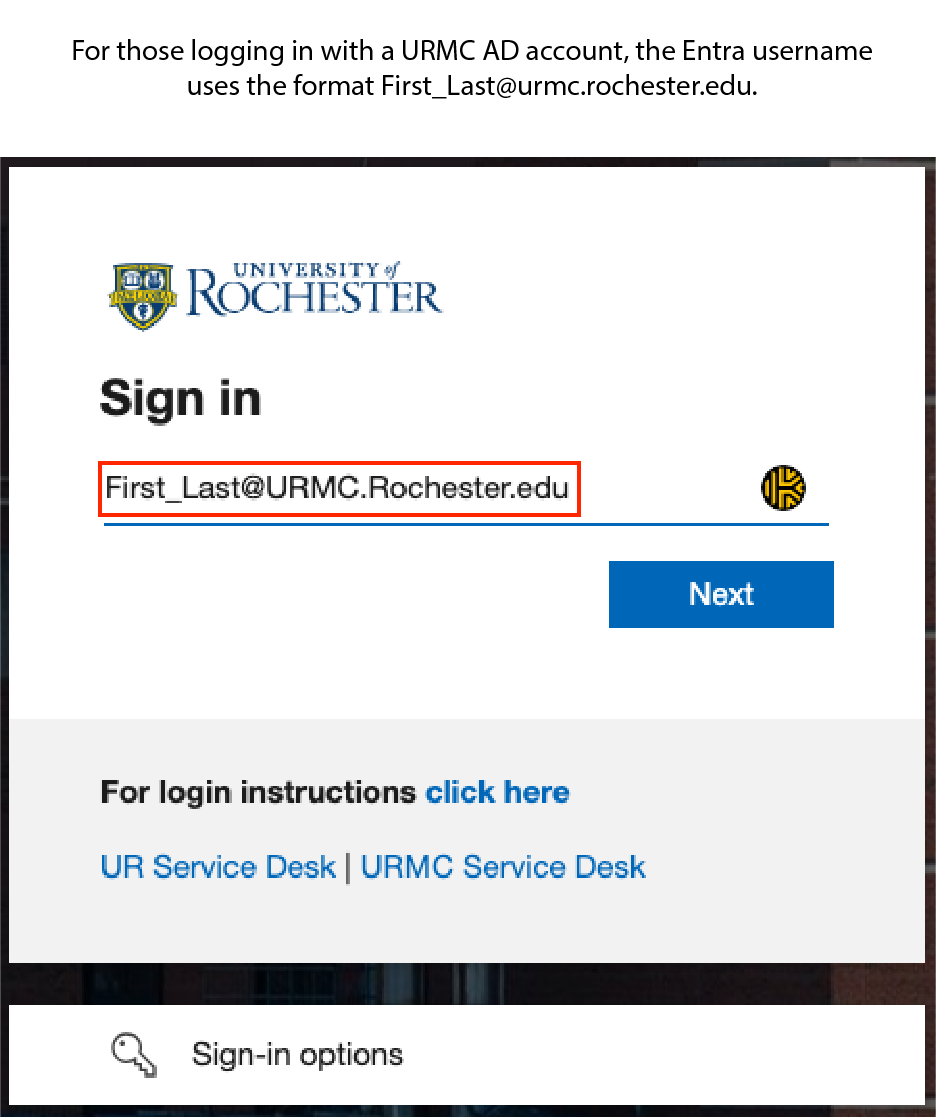
- Okay. I am at the Entra login screen what do I enter?
- How do I change my Entra ID password?
- If my name changes, will my Entra ID Username change?
Why do we need another ID?
Entra ID is a cloud version of your Active Directory (AD) credentials. Your Entra ID username is based on your Active Directory Username + either ur.rochester.edu or urmc.rochester.edu, depending on your primary affiliation.
Where is my Entra ID used?
Microsoft’s Entra ID isn’t new; some students, faculty, and staff have been using it for a few years to log into different system services.
Some examples of services that use your Entra ID Username are:
- Microsoft 365 applications like Outlook Web Access, OneDrive, or Microsoft Teams.
- URCompass for the International Students.
- Our new AI Service chat.rochester.edu.
Why can't I use my email address as my Entra ID username?
It may be that your email address happens to be the same as your Entra ID. They are separate concepts, but often the same value.
For persons with URMC accounts and a URMC email address, the Entra ID is set to be the same as the email address.
For persons with UR accounts, the Entra ID is set to the AD Username with “@ur.rochester.edu” appended, such as bsmith5@ur.rochester.edu.
In many cases, the UR email address also uses this convention, but not always. For example, your UR account might use an alias for its email address such as Bob.Smith@rochester.edu or bsmith5@simon.rochester.edu. You won’t be able to use those email aliases to login to Entra though, as they aren’t your Entra ID.
How do I change my Entra ID password?
To change your password, do the following.
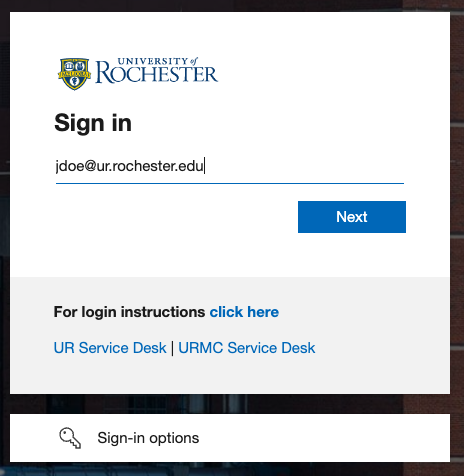
Open a browser and enter the URL: http://entramanager.rochester.edu
When asked to sign in, enter your Entra ID Username. Please enter the password that you use to log into myURHR or URCompass, for example. Confirm the Duo Prompt.
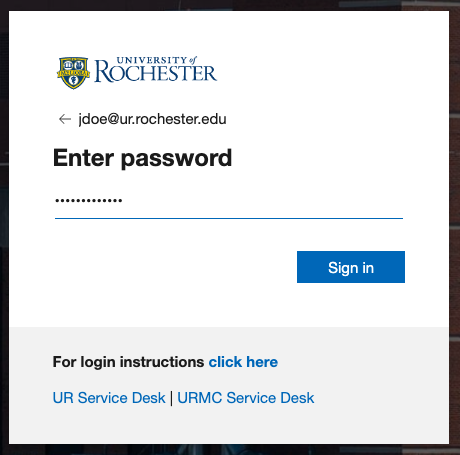
At this point, it is going to ask you to create a new password and confirm the new password. Please ensure that you type both passwords the same and then click Submit.
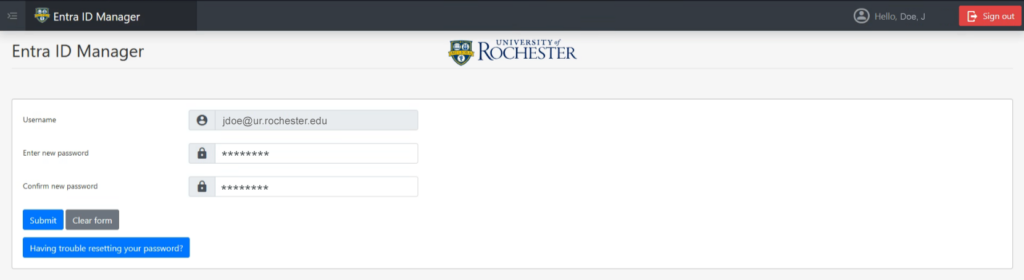
Once you have completed changing your password please click the Sign Out button in the upper right hand corner.

If my name changes, will my Entra ID Username change?
Your Entra ID username is based on your Active Directory Username + either ur.rochester.edu or urmc.rochester.edu, depending on your primary affiliation. If you request a name change to your AD Username, then yes, your Entra ID Username will change.
Example: Avery Smith requests a name change to Avery Johnson. Avery’s original AD Username was Asmith23 and their primary affiliation is UR. After the change is made, their new AD Username is AJohnson56.
As a result, their Entra ID Username will go from: