Overview
Use this reference to view student notes that have been shared with you on your profile.
View a Student Note
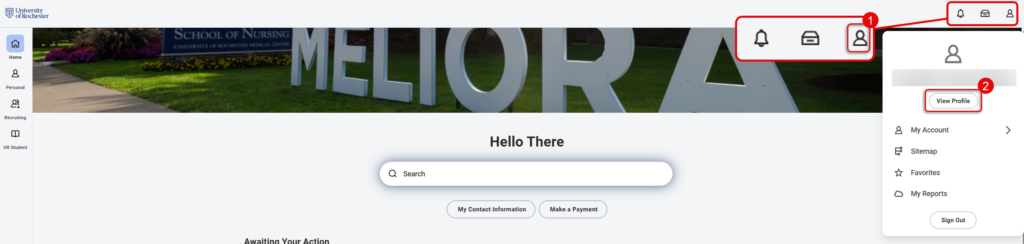
- Navigate to the Home page of UR Student, then select the Profile icon. This will be either a silhouette or profile picture.
- Select View Profile..
- From the Profile Page select History from the left menu.
- You can select the Magnifying Glass to the left of each note to see the full text of the note.
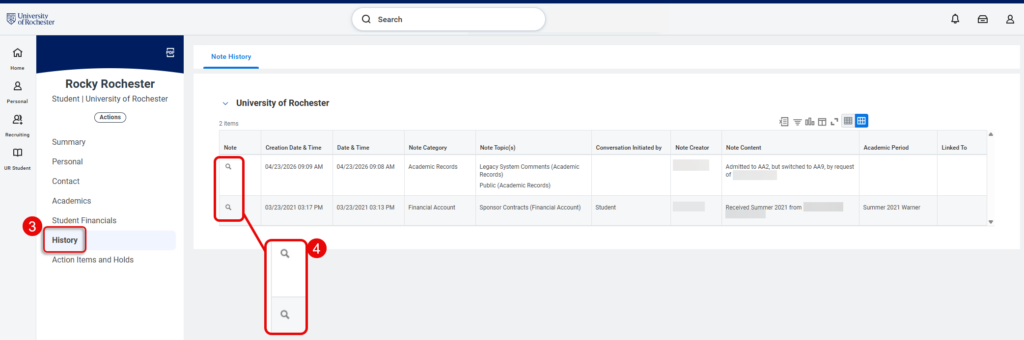
TIP: You can view all Academic Advising, Academic Record or Financial Account notes that have been shared with you on the Note History tab, including the Note Category, the Note Topic, who created the note and the Note Content.