Overview
Your Academics Dashboard has all your academic record information in one place, including lists of your Advisors and Cohorts.
View Advisors and Cohorts
- Log into UR Student, then navigate to the Academics app under UR Student in the global menu.
TIP: If you cannot see UR Student in the global menu, select the More icon.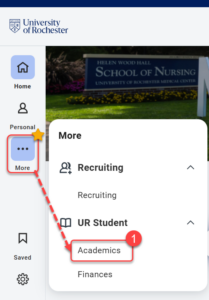
- On the Academics dashboard, you will find the Important Contacts Support Network table.
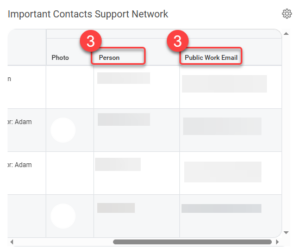
- Your Program Coordinators, Program Director and Advisors, along with their email addresses, are shown in the table.
TIP: You may need to scroll to the right to view the person name and email.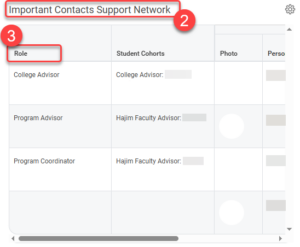
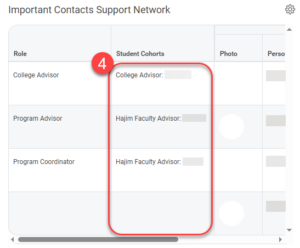
- The Student Cohorts column shows which student cohort grouping each person is related to.