Overview
Use this as reference when needing to drop a course or course section section during the add/drop period. Refer to your school’s respective Academic Calendar for the exact end date of the add/drop period.
NOTE: If you have a registration hold, you will NOT see the drop or swap buttons. The hold must be resolved before being able to drop or swap in UR Student. Refer to the View Holds QRC for steps on how to resolve holds.
Related links:
Dropping a Course from Registration
- Log into UR Student using your Active Directory account and password.
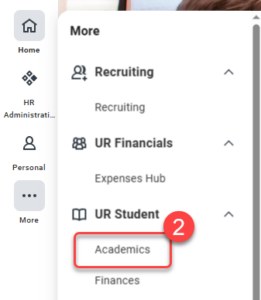
- Navigate to the sidebar on the left, hover over UR Student, then click the Academics app under UR Student. If UR Student is not visible, click the More icon.
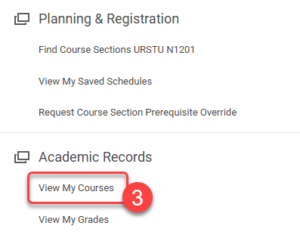
- Under Academic Records, click View My Courses.
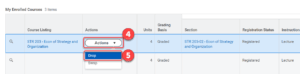
- Within the My Enrolled Courses table, click on the Actions drop down button to navigate to the Drop and Swap buttons.
Tip: Notice the Enrolled Units and Enrollment Status listed below the My Enrolled Courses table.
NOTE: If Enrolled Units are at the minimum limit to be considered full-time, the swap feature should be used to replace the course you would like to drop with another course. If you need to drop a course section that will put you below full-time status, please contact your Registrar. - Click Drop.
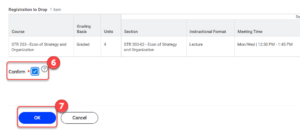
- Check the Confirm box.
- Click OK, then Done.